
Docs / Reference
Activity & history
The trail of every change and who made it, for the workspace and each record.
OrderDen keeps a trail of what your team changes, named and dated: for the whole workspace, for each client, and for each document.
What gets logged
Every change to shared business data, with who made it:
- Clients: created, details changed, contacts and addresses added, edited or removed, notes, archived and restored.
- Quotes, orders, invoices and credit notes: created (one entry for the
first save), status changes, deletions, conversions, shipments, invoicing and
payments. Edits after the first save are itemized: line quantity, price
and discount changes (
"Widget" qty 5 → 8), lines added and removed, and address, terms, discount, tax and shipping edits. - Items and vendors: created, field changes, archived, restored, deleted.
- Purchases and expenses: created, itemized edits, status, deliveries, payments.
- Projects, production runs, stocktakes, locations and client purchase orders.
- Attachments and share links: added, removed, created, replaced, revoked.
- Documents leaving the workspace: emailing a quote, order or invoice records every address it went to, the subject, whether a note was included and how it was sent. Taking a full data download is recorded too.
- Statuses set by hand: setting a status the app normally keeps itself (a converted quote, an order's shipping state, a paid invoice) is logged as set by hand, so a status that doesn't match the paperwork can be explained.
- Workspace settings: templates, email settings, API keys, team changes (invitations, roles, removals), renames.
Changes made through the public API are credited to the API key by
name (API key "Zapier"), and a client accepting a quote on their share link
is credited to the portal. Personal preferences (your dashboard, list
columns, theme) are never logged.
Where it shows
- Activity, in the main menu beside Reports: the whole trail, newest first, for owners and admins. The dashboard's Needs attention card links to it.
- Client pages: the Activity tab shows the newest 50 entries about the client and their documents, plus your notes.
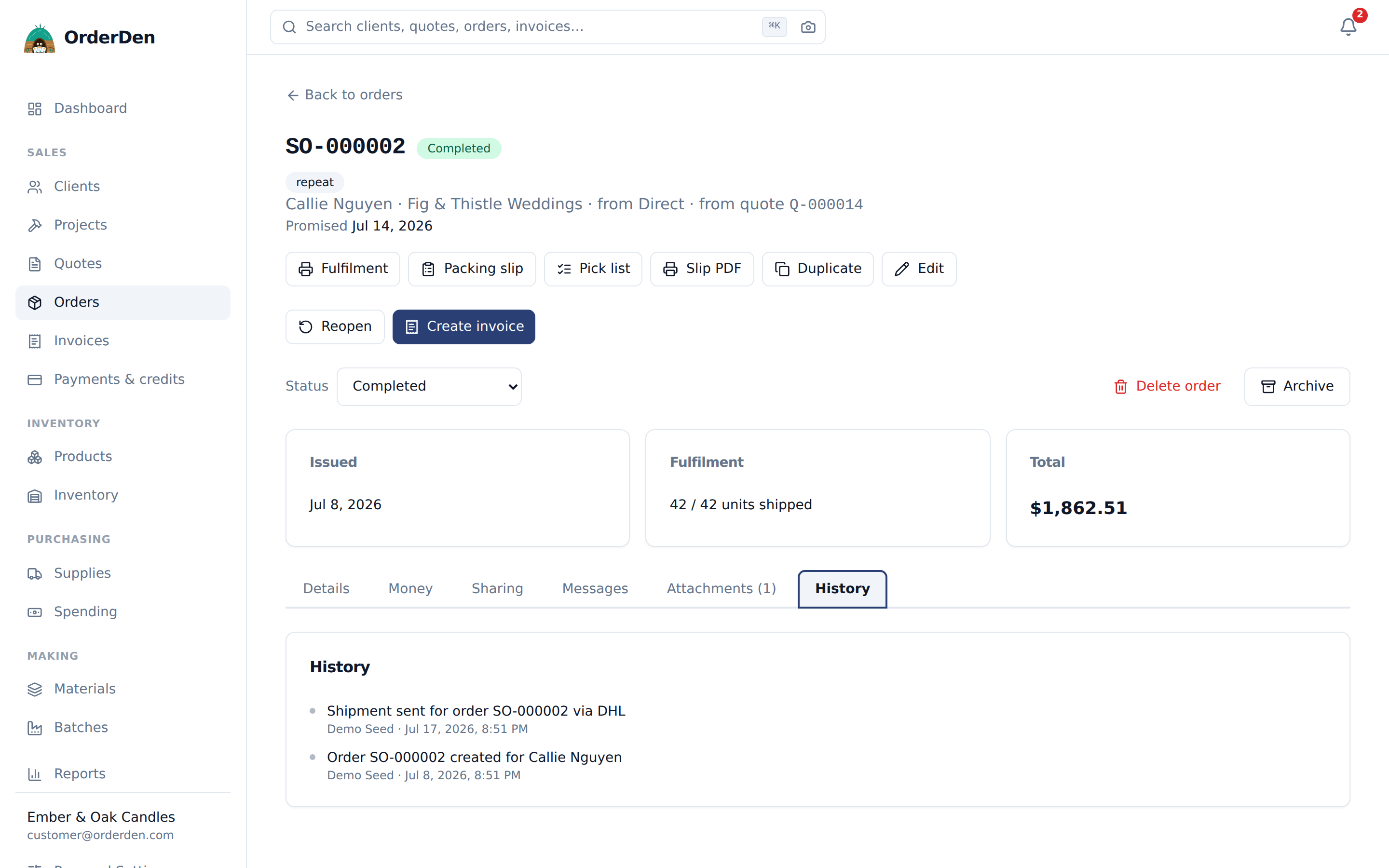
- Document pages: quotes, orders, invoices, credit notes, purchases, items, vendors, production runs, stocktakes and client POs have a History tab or card with the newest 50 entries about them. A project's is called Activity.
Reading the whole workspace's trail
Activity, in the main menu, lists every entry in the workspace, newest first, 25 to a page (you can choose 25, 50 or 100). It's for owners and admins.
Most entries also appear on the record they're about. This page is where you find the ones that don't have a record: a password reset, a member invited or removed, a role changed, a setting saved.
Five filters narrow it, and they combine:
- Search matches what the entry says, and the record's number or name:
deposit,INV-000041,Calder. - About is the kind of record: an order, an invoice, a stocktake, settings.
- What happened is the kind of entry: created, updated, a status change, a payment, a document sent.
- Who lists everyone who has written to the trail, most frequent first, including people who have left. Entries nobody was signed in for (a scheduled charge, a reminder, an API key) are grouped under one option, named after the most common of them.
- From and To are whole days, including both ends.
The filters are in the address, so you can bookmark a search or send it as a link (the person needs to be an owner or admin to open it).
Entries about a record link to it. An entry whose record has been deleted keeps its number or name, so it still reads properly; the link goes to a not-found page.
How far back it goes
History is kept for two years by default, and never less than one year; the window is set by OrderDen. Older entries are moved out of the app, and stop appearing in the feeds, the Activity tab and History. By default they're kept in an archive and can be retrieved on request.
A trail that has been cut says so. When there are older entries in the archive, the feed ends with a line naming the date, such as "Entries before September 12, 2024 are archived rather than deleted." You only see it where something was archived.
If you need a longer window, for an audit say, ask. To keep a copy yourself, take a full data download: it includes the history as it stands.
Notes
Documents log their first save as one "created" entry, and the itemized history starts with the next edit, so drafting stays quiet. Entries survive deleting the record they describe, with its number kept on the entry.
Everything on this page is on the free tier: one person, the whole product, no card.
Start free